← Back to the collection

Make / Selected work / 03

Forge · Keyboard Maker

From a single keycap to a keyboard that fits your hands. Make the things you spend all day touching.

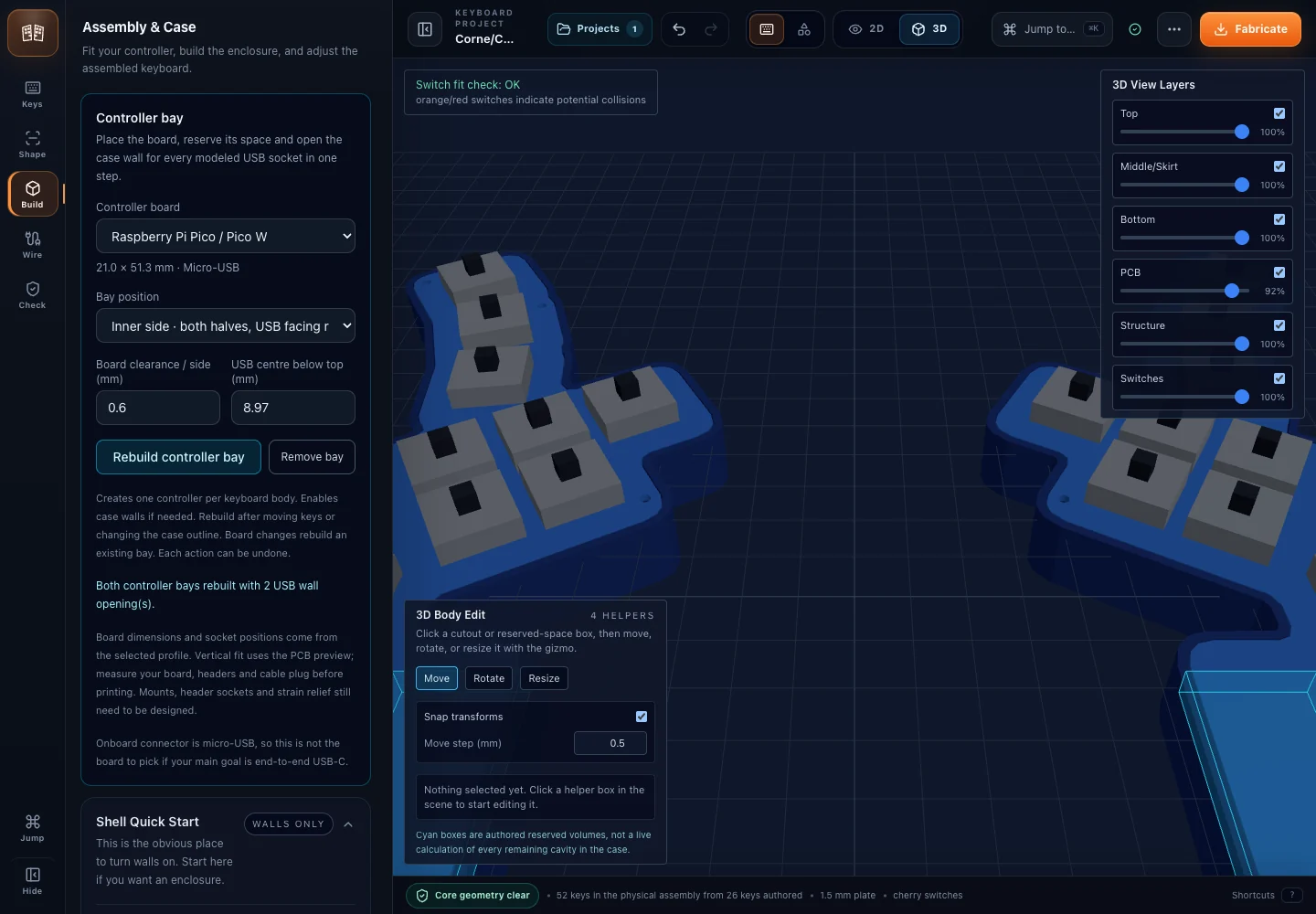
Forge showing a split keyboard assembly and its controller bay.View full size ↗
In the project

Layout becomes an assembly: the newer Forge work brings key positions, case geometry and controller space into the same view.

About this image

Local Forge development · not all features are public · Repository evidence reviewed 7 September 2026
Revision: Image 4401237873a7

My role
Product owner and builder across browser CAD, wiring planning and fabrication exports.
Key decision
Editing and export run in the browser. Hand-wiring and preliminary PCB routing use separate workflows, with validation before export.
Evidence
Public browser app, interface screenshots and export examples.
Source
The source code is private. The browser app is public; physical fit still requires testing.

The computer should fit the person.

The starting point

Standard keyboards assume a standard pair of hands. Personal geometry only becomes useful when it can also be wired, assembled and made.

What I built

Keyboard Maker begins with the things your hands actually touch: key positions, keycaps and the shape around them. A parametric workshop turns those decisions into geometry that can be inspected and exported. The larger Forge project connects layout design with practical questions about cases, wiring and fabrication.

The distinctive challenge is translating personal preference into a physical object: spacing that feels right, a printable crown, a stem that fits and a case that can actually be assembled. The project spans individual keycaps and complete keyboard design, with calibration and fabrication treated as part of the work.
Closer to the work

Interfaces & outputs
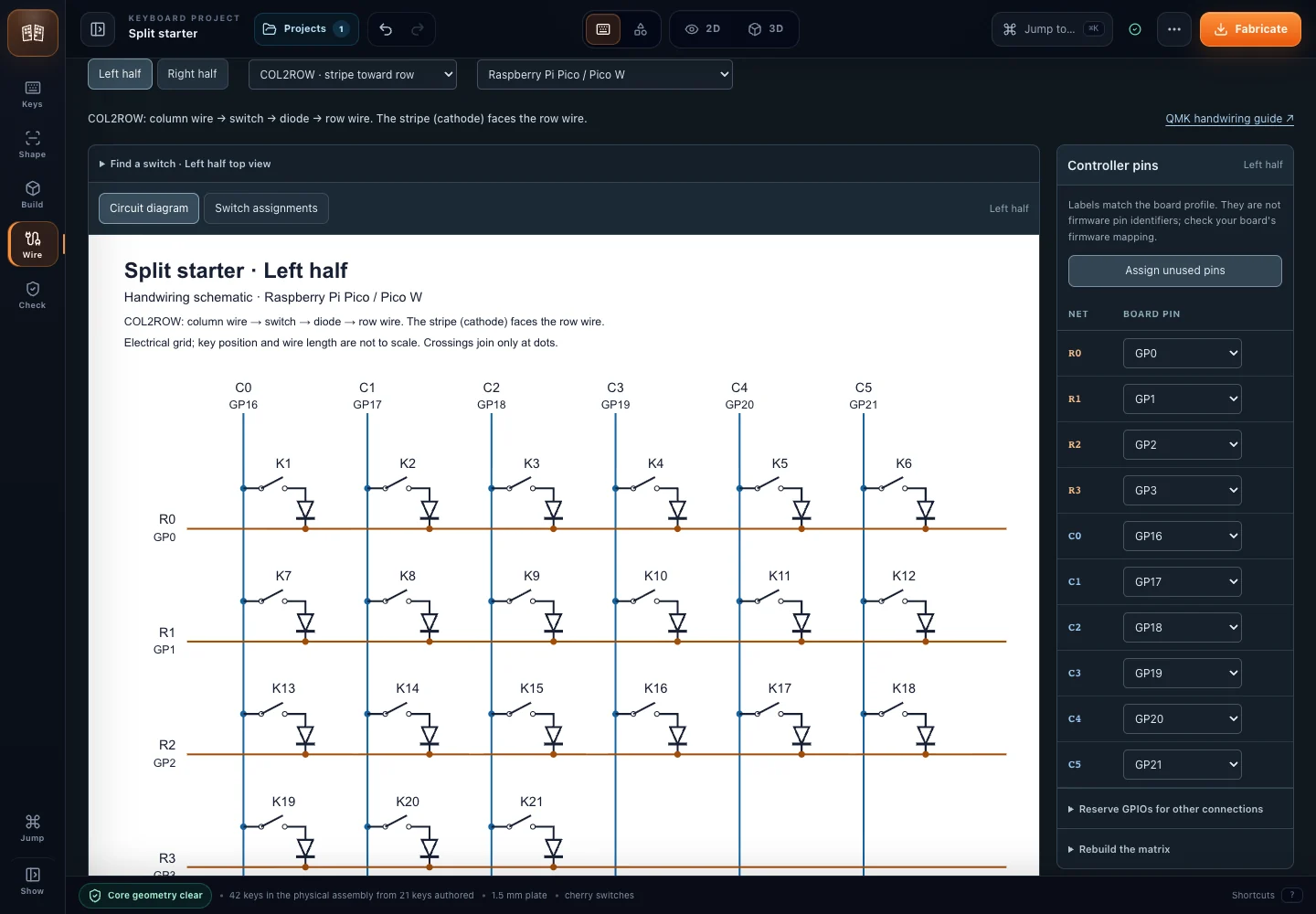
Forge wiring workspace with physical key positions, row and column wires and controller assignments.View full size ↗
In the project

A useful keyboard plan needs an electrical path as well as a pleasing shape. The wiring workspace makes those assignments inspectable.

About this image

Local Forge development · not all features are public · Repository evidence reviewed 7 September 2026
Revision: Image 250d1581ea98

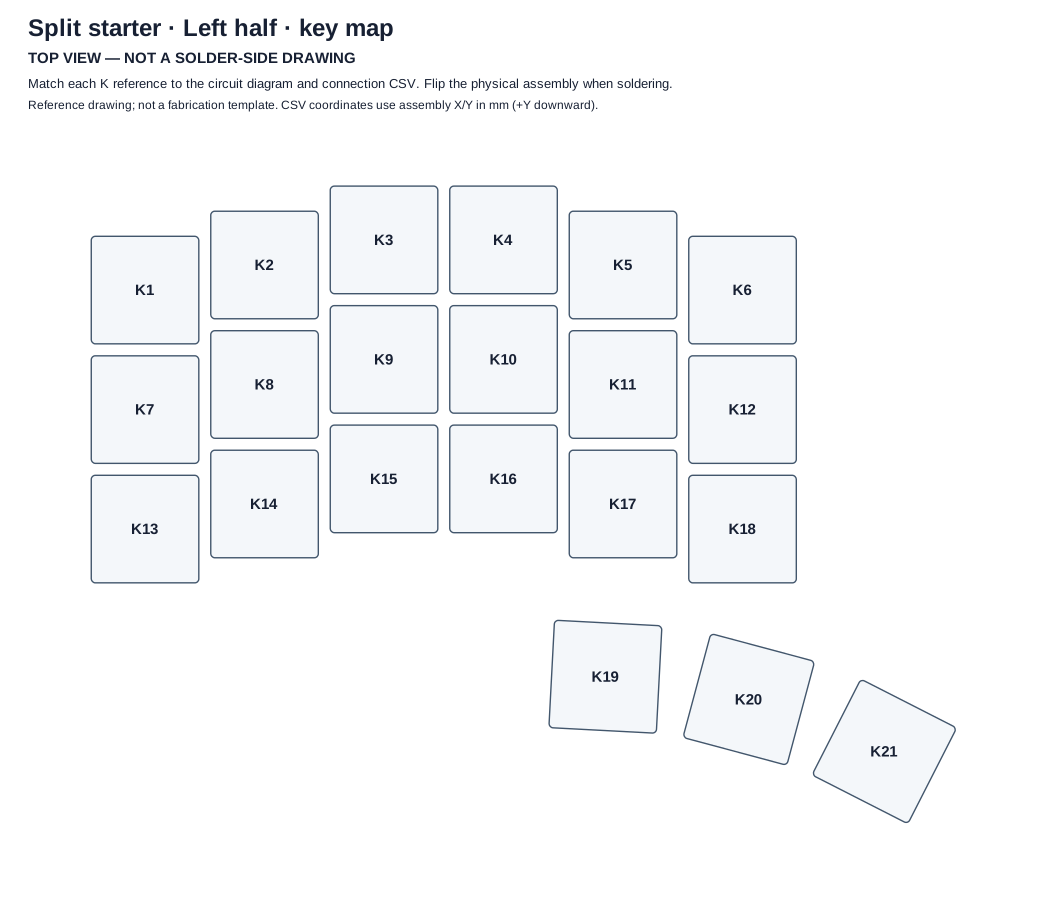
Exported left-half physical key map, labelled by row and column.View full size ↗
From the tool

Actual SVG output: a physical key reference map for the left half. Open it at full size to read the labels.

About this image

Local Forge development · not all features are public · Repository evidence reviewed 7 September 2026
Revision: Image 0e2c8b1e6600

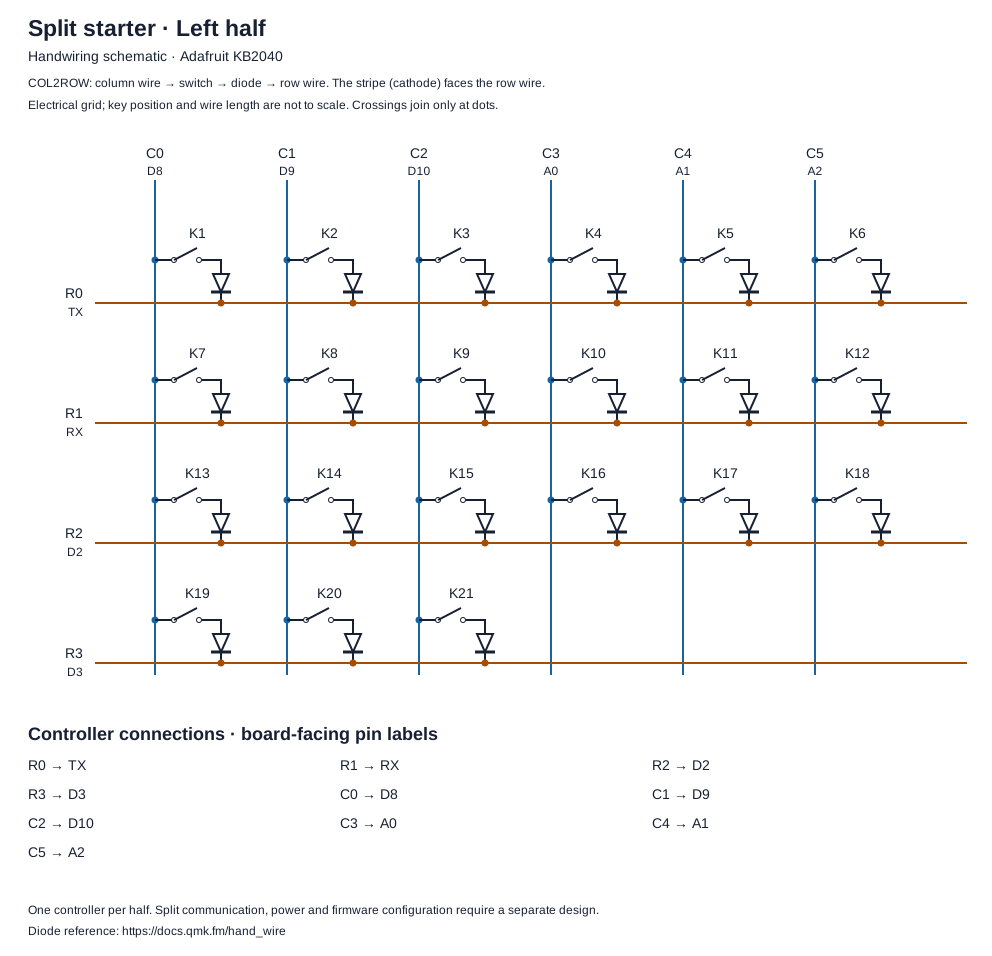
Exported left-half handwiring circuit schematic with switches and diodes.View full size ↗
From the tool

Actual SVG output with one caption label clarified: the corresponding handwiring schematic. Fabrication still needs electrical and physical validation.

About this image

Local Forge development · not all features are public · Repository evidence reviewed 7 September 2026
Revision: Image 309c75dae2a2

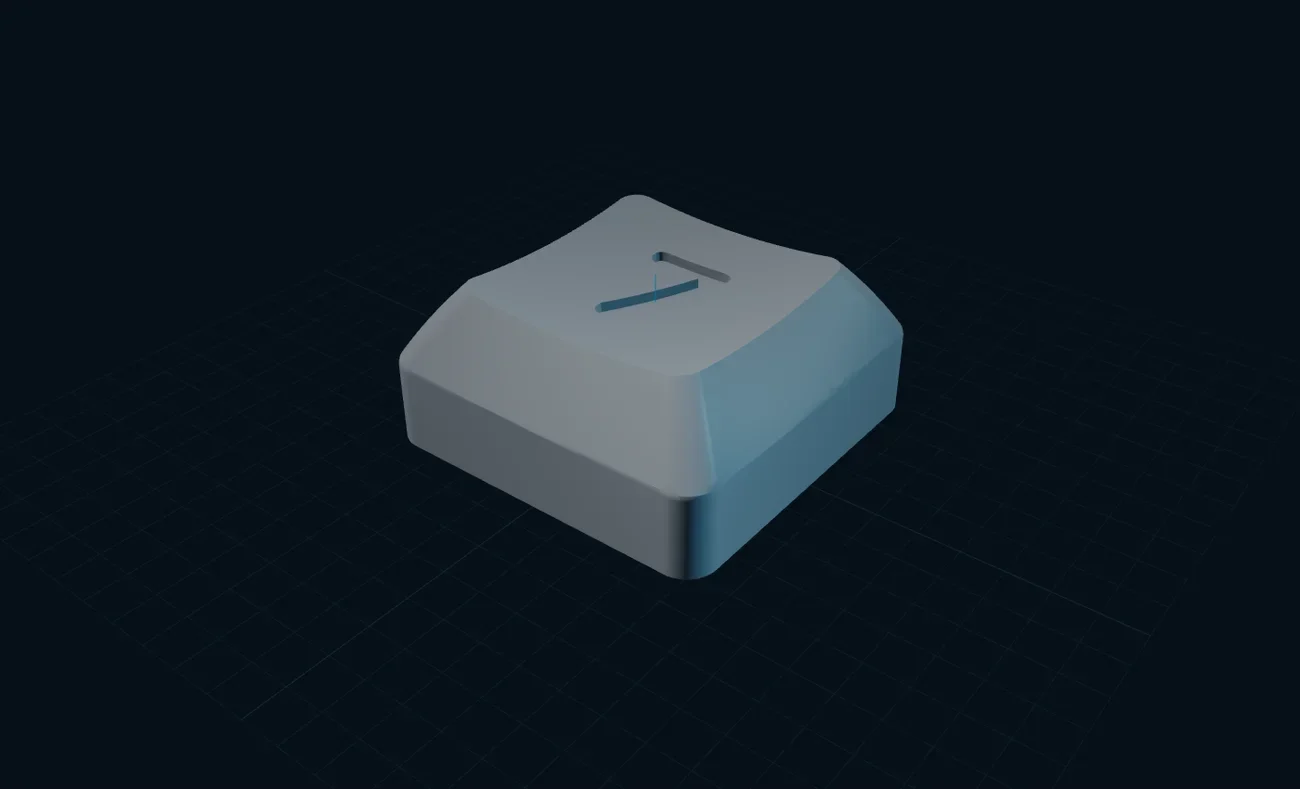
Keyboard Maker interface with a generated keycap preview.View full size ↗
In the project

The public workshop starts at a smaller scale: shape a keycap, inspect the crown and stem, then prepare an export.

About this image

Public keyboard workshop capture · 7 September 2026
Revision: Image 1321da6c4466

How it connects

A layout has to become a build.

Geometry, electrical planning and fabrication answer different questions.

  1. 01

    Shape

    Choose positions, spacing, keycaps and the surrounding geometry.

  2. 02

    Plan

    Inspect the assembly and the controller space; assign the wiring.

  3. 03

    Make & check

    Export the model and wiring references, then validate fit and electrical behaviour.

The exported drawings are real tool outputs. A preview or schematic alone does not establish physical fit or electrical acceptance.
Diagram source

Verified workflow diagram · reviewed 7 September 2026
Source revision: ec3e417fdaeb